
Bring your products, customers and who owes you from Kippa, Zuru, Excel or your notebook into Oja in minutes. Switch from Kippa or Zuru and get Odogwu free for 3 months.
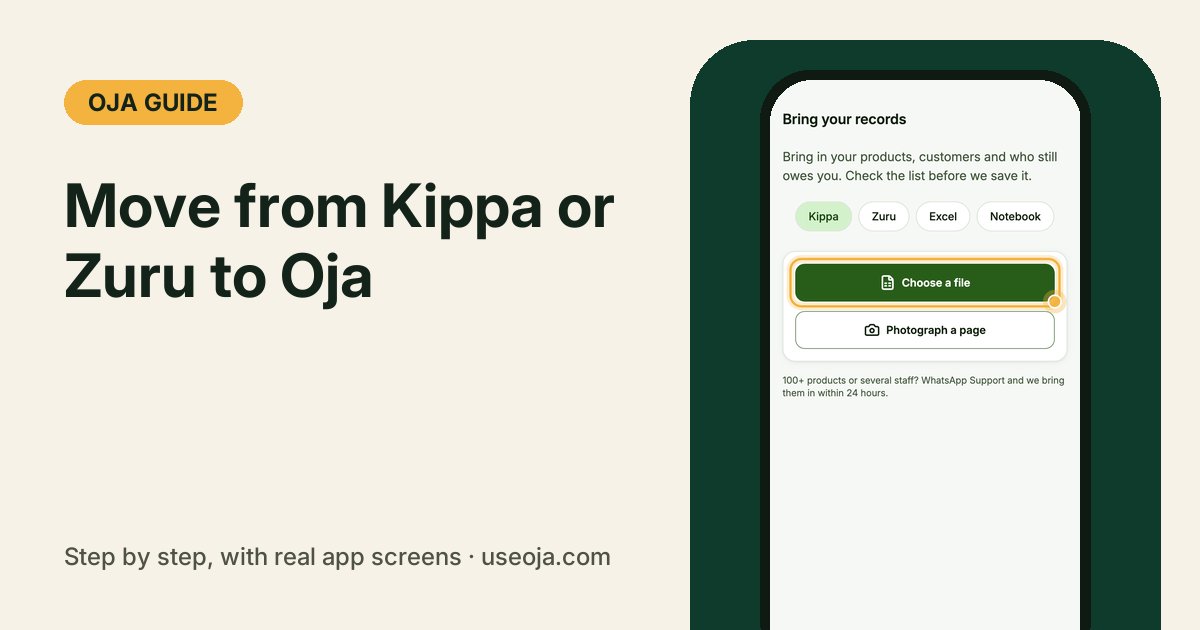
Changing apps should not mean typing your whole shop again. Oja brings in your products, your customers and who still owes you from Kippa, Zuru, an Excel sheet or even a photo of your notebook page. You check the list before anything is saved, and you can undo it for 24 hours.
Before you start
- Create your free Oja store, if you have not yet.
- Download your records from your old app as a file (Excel or CSV), or have your notebook ready to photograph.
- More than 100 products, or several staff? WhatsApp Oja Support and we bring them in for you within 24 hours.
Open Bring your records
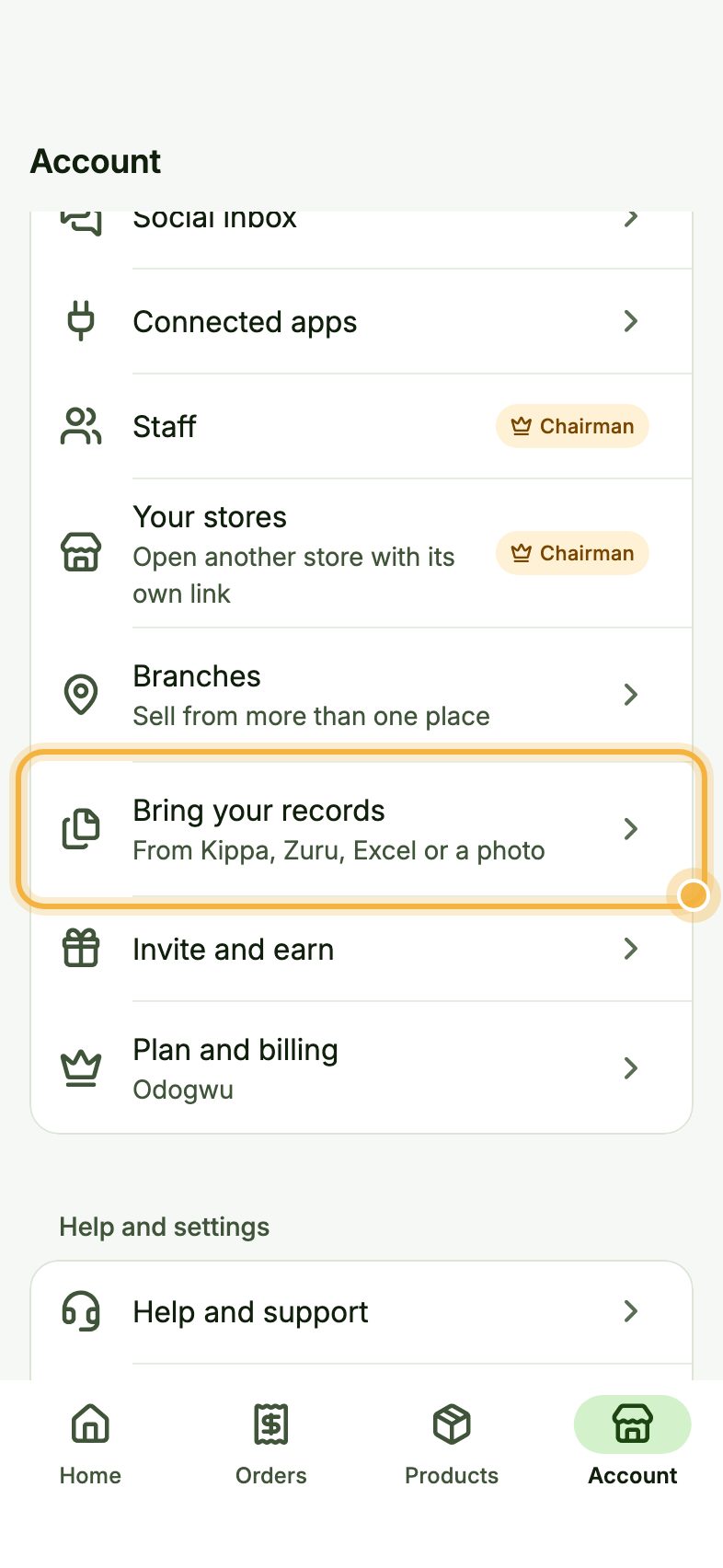
Go to the Account tab and tap Bring your records ("From Kippa, Zuru, Excel or a photo").
Choose where your records are
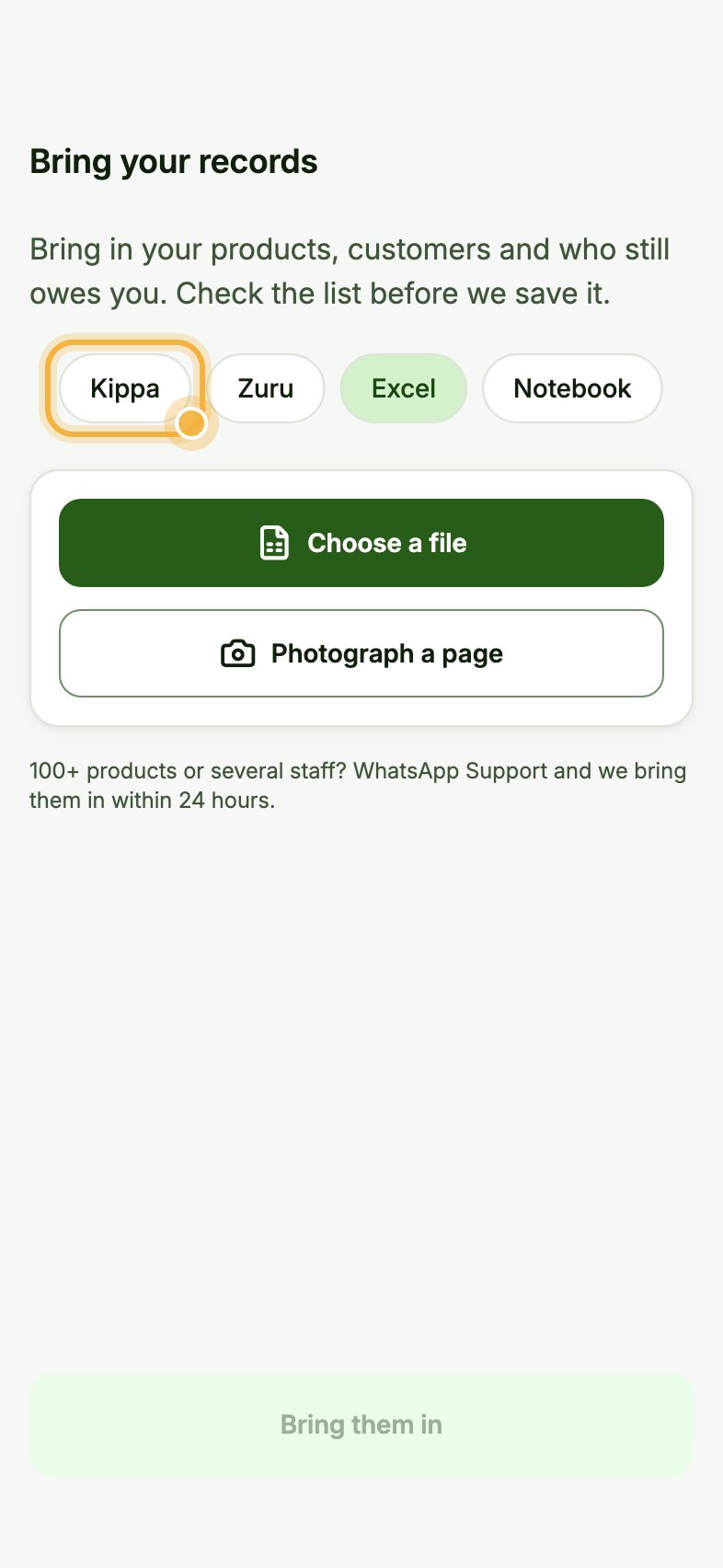
Tap Kippa, Zuru, Excel or Notebook. Choosing the right one helps Oja read your file.
Add your file or a photo
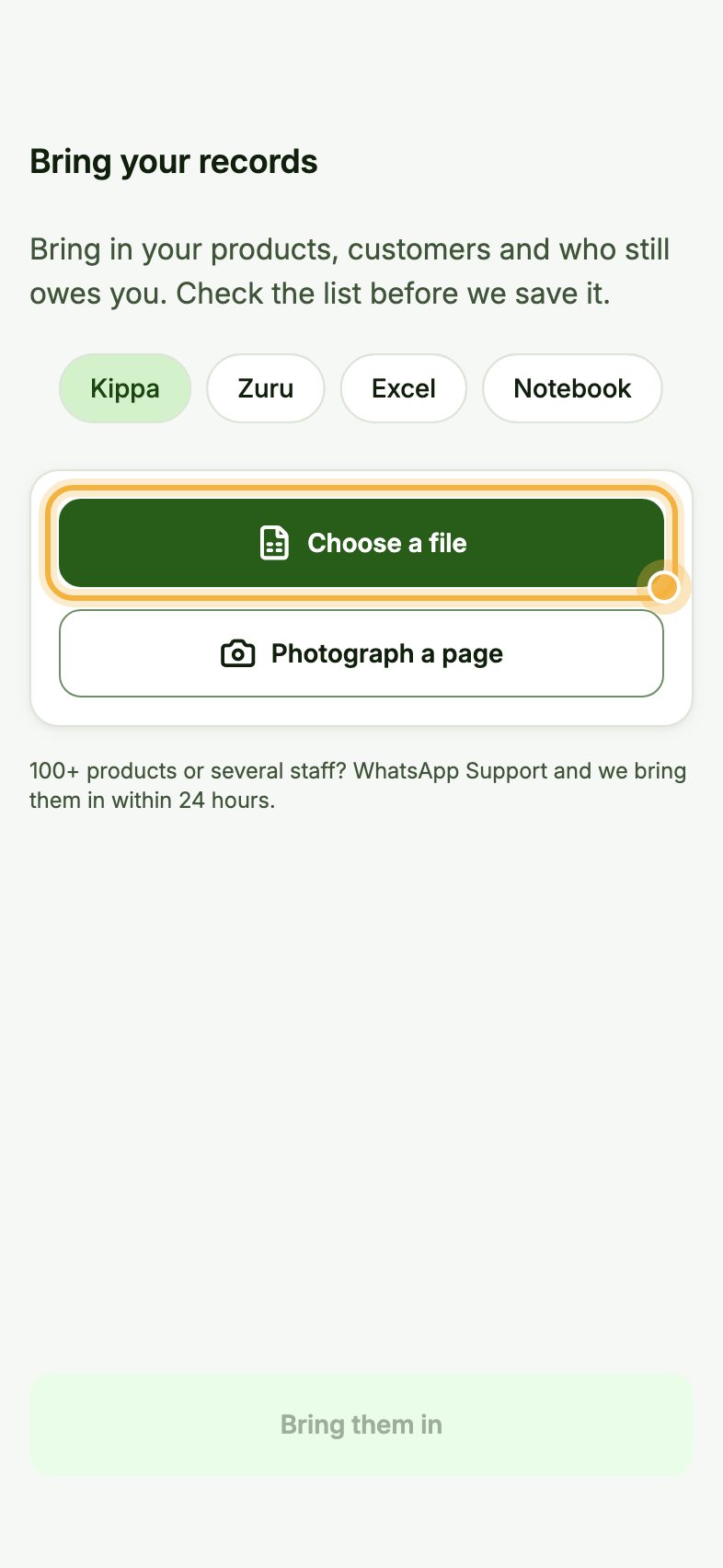
Tap Choose a file and pick your Excel or CSV file, or tap Photograph a page to snap your notebook.
Under Check these lines, Oja shows everything it found: products with price and stock, and customers with what they owe. If it all looks right, tap Bring them in. If not, fix your file and choose it again.
Tips for a clean move
- Something looks off after the import? Tap Undo this import within 24 hours and try again.
- Turn on debt reminders straight after the import. Customers who owed you in the old app get a polite reminder with a pay link.
- Keep your old app until you have checked your totals in Oja.
Make the move today
Oja is free to start. Download the app, open your store and bring your records in minutes.
Start selling free