See every customer who owes you, how much and since when, then send polite payment reminders on WhatsApp or email, once or automatically every week.
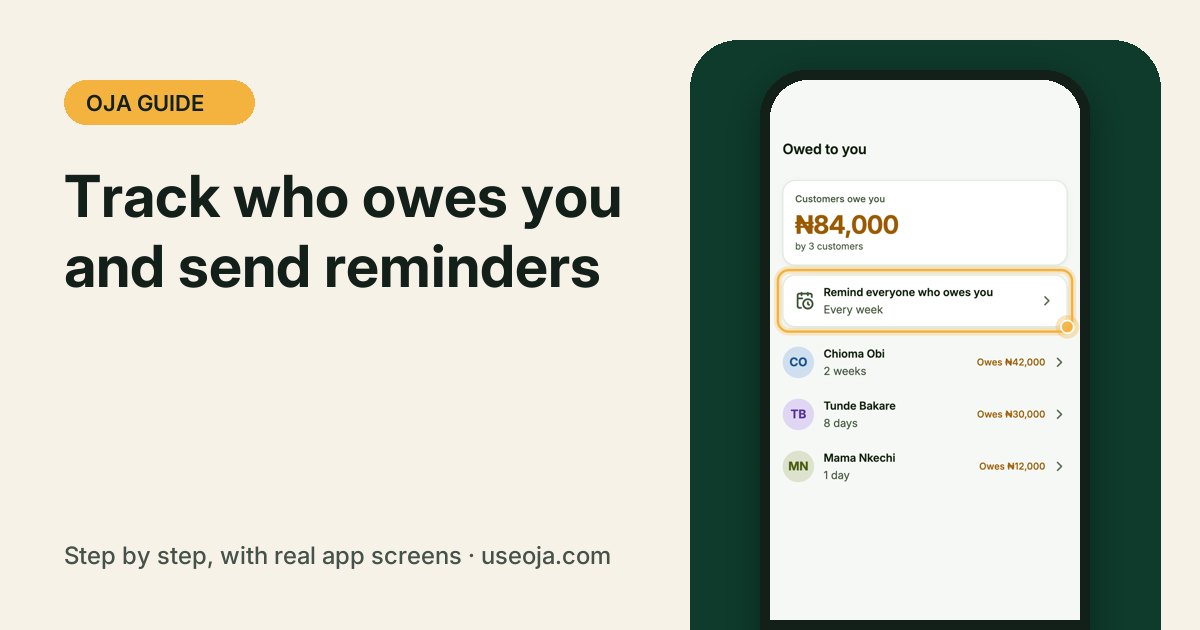
Selling on credit is normal. Forgetting who owes you is expensive. Oja keeps every balance in one list, oldest first, and can remind customers for you in your store's name.
Before you start
- Record credit sales with Pay later, Not paid or Part paid. That is how a customer gets on the list.
- Save customers' phone numbers so reminders can reach them.
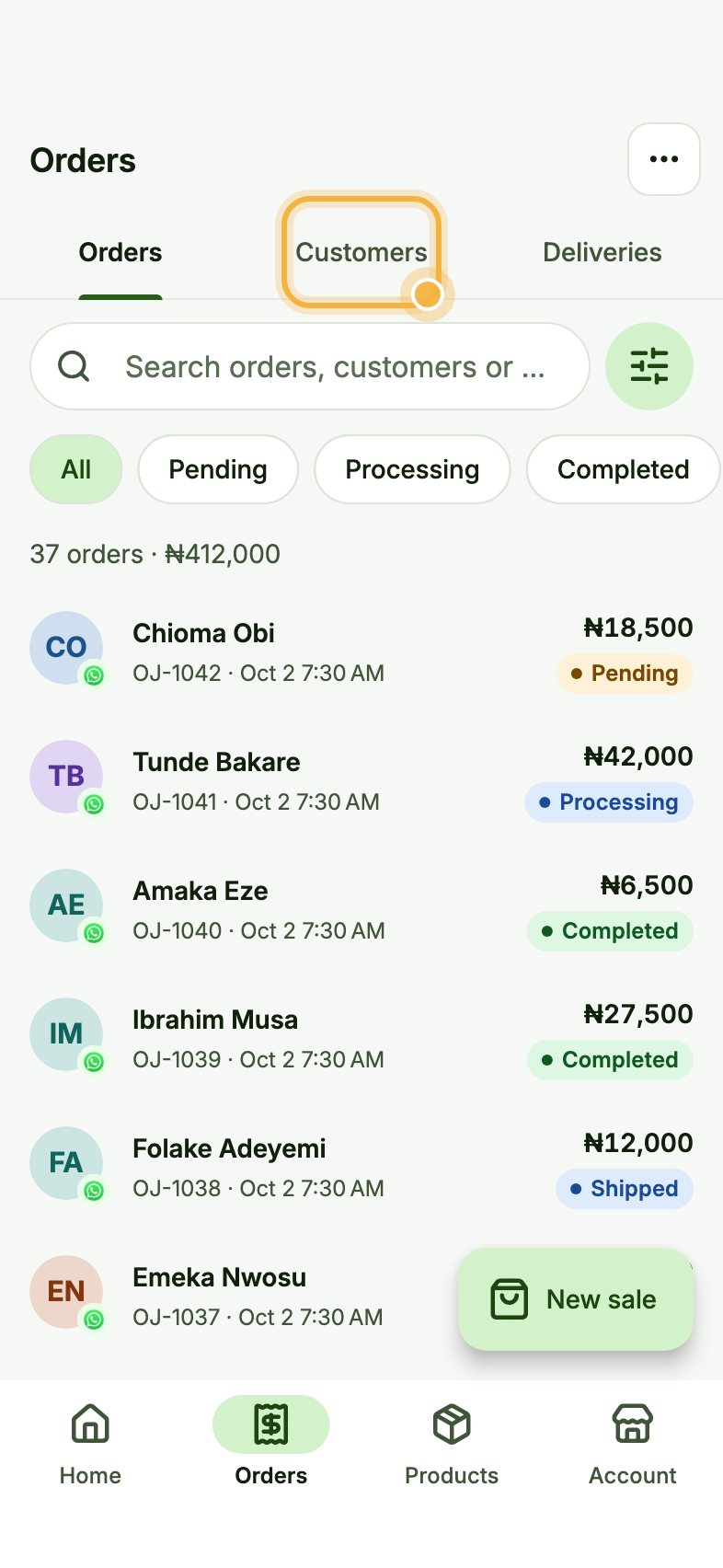
Open Orders, then Customers
Go to the Orders tab and tap Customers at the top.
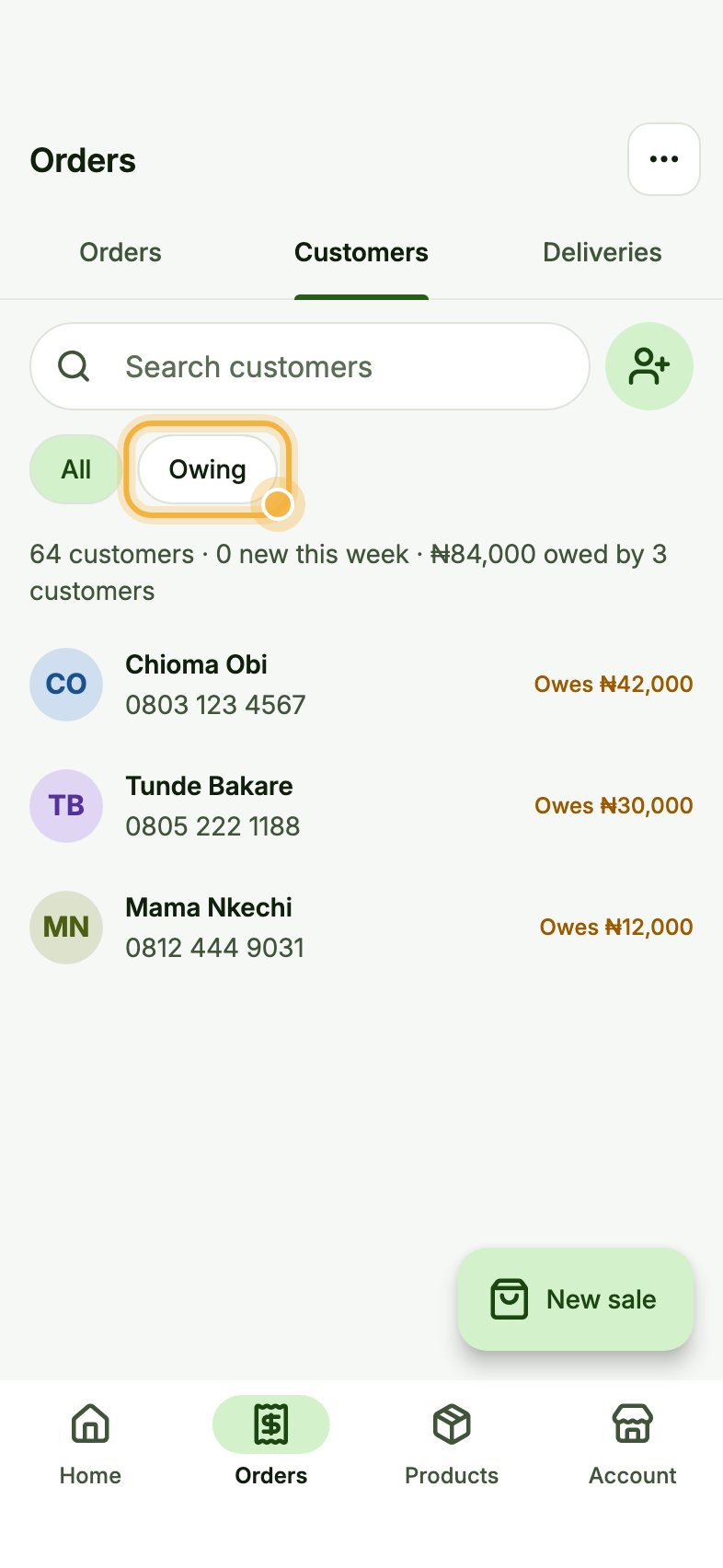
Tap Owing
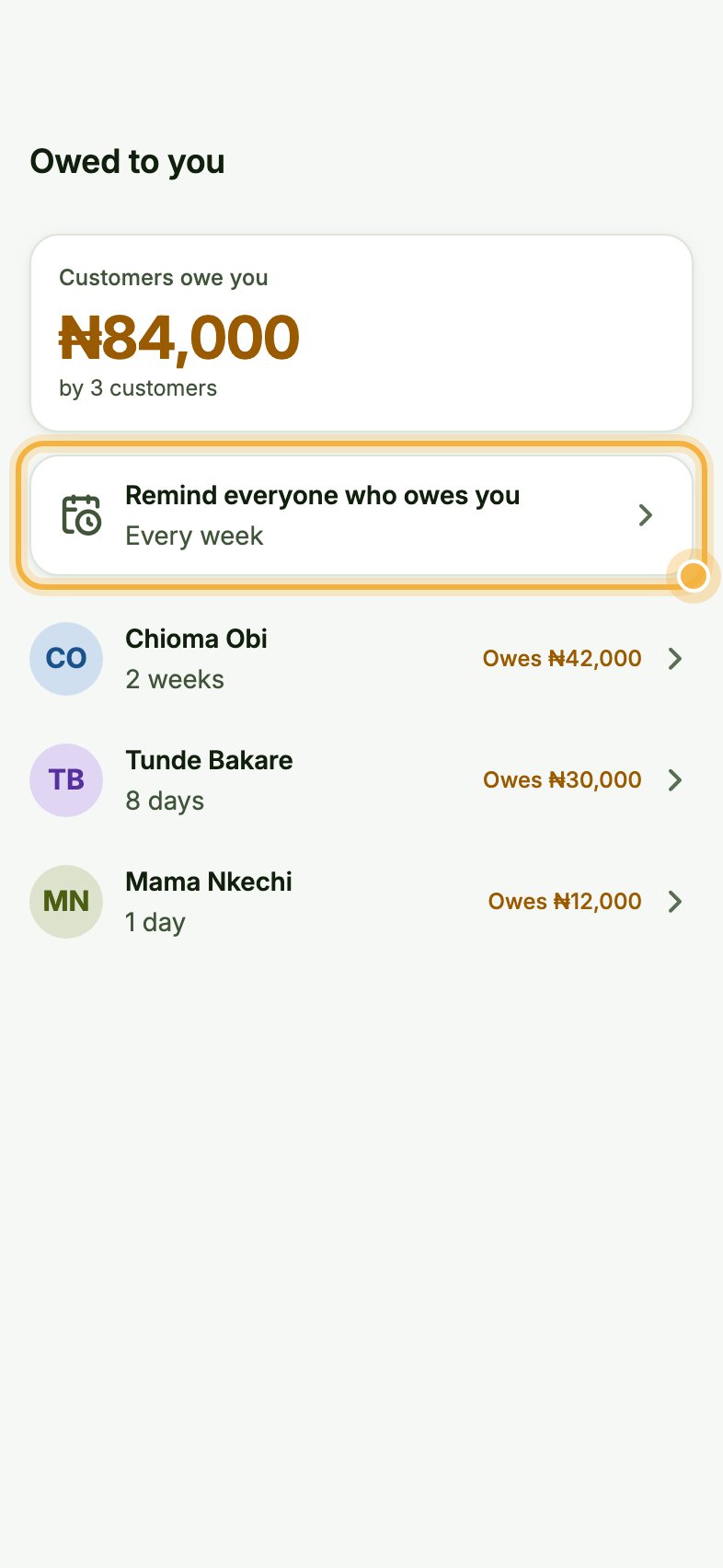
Tap Owing to show only customers with a balance. The line at the top tells you the total, for example "₦84,000 owed by 3 customers".
Turn on reminders
On Owed to you, tap Remind everyone who owes you and choose how often, for example every week. Oja sends a polite reminder from your store with a link to pay.
Record a payment or remind one person
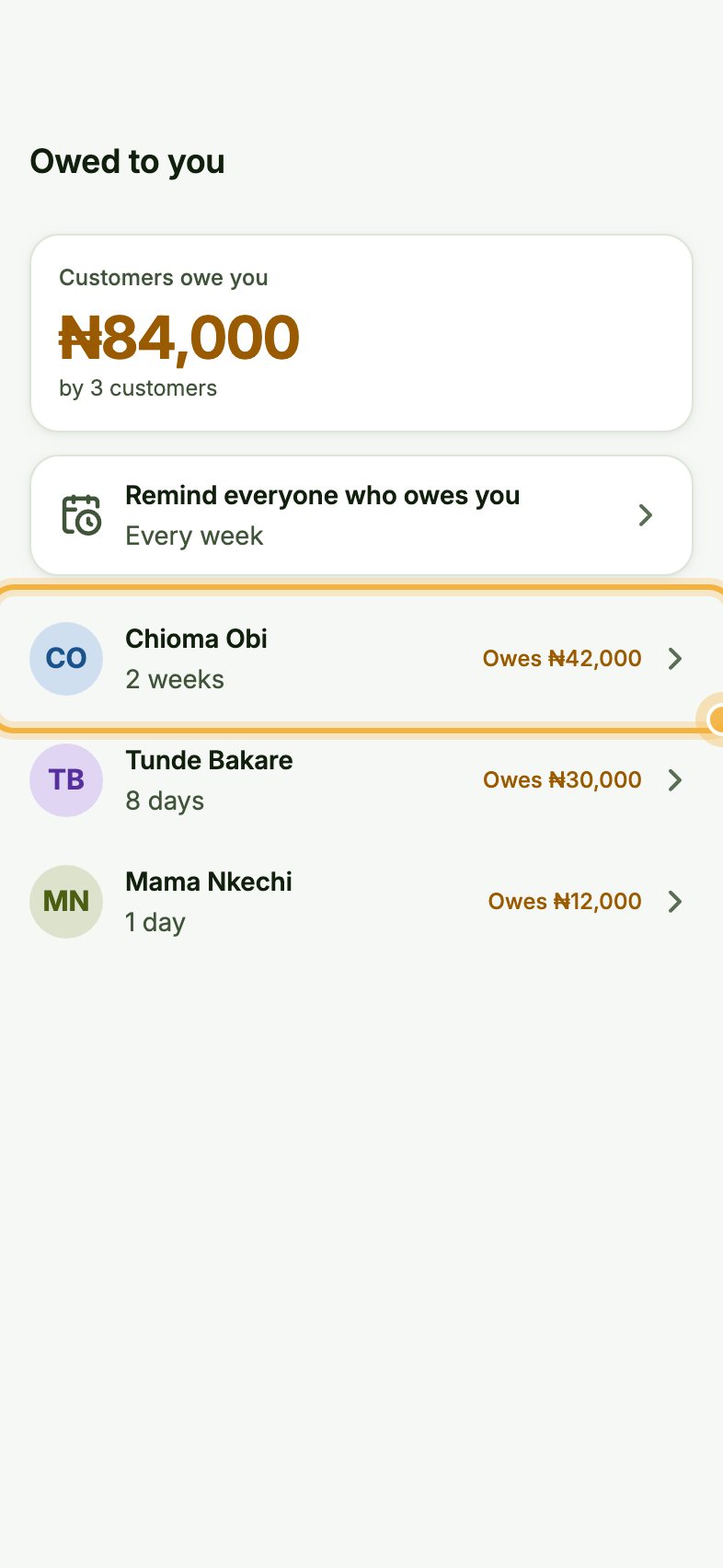
Tap a customer to see what they owe and since when. From there, record a payment when they pay, or send a reminder right now.
Tips that save time
- Part payments are fine: record what they paid and the rest stays on their balance.
- When a customer pays through the reminder link, the debt clears itself.
- The Owed to you list also opens from Home when someone owes you.
Try it in the Oja app
Oja is free to start. Download the app, open your store in minutes and follow this guide on your own phone.
Start selling free