No time to pick products? Record a sale in Oja by typing the amount, like your notebook. Choose paid, not paid or part paid, and how they paid.
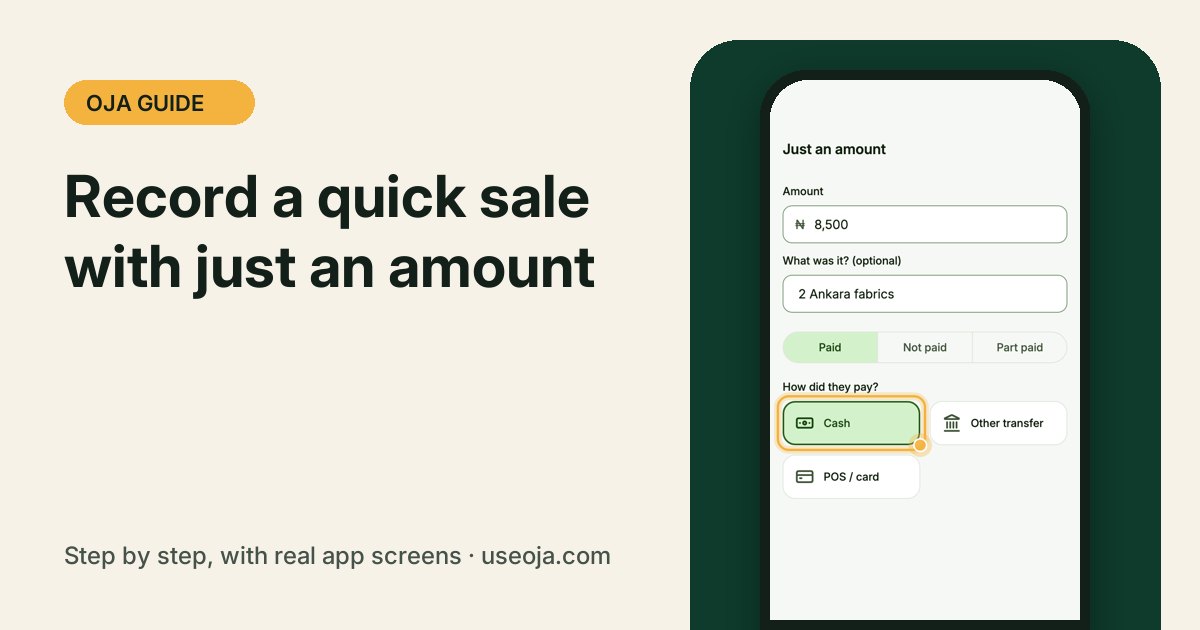
Sometimes you just need to write down what was paid. Just an amount works exactly like your sales notebook: type the amount, add a note, choose how they paid, and save.
Before you start
- Sign in to the Oja app.
- You do not need to add products for this. It is perfect for small, quick sales and services.
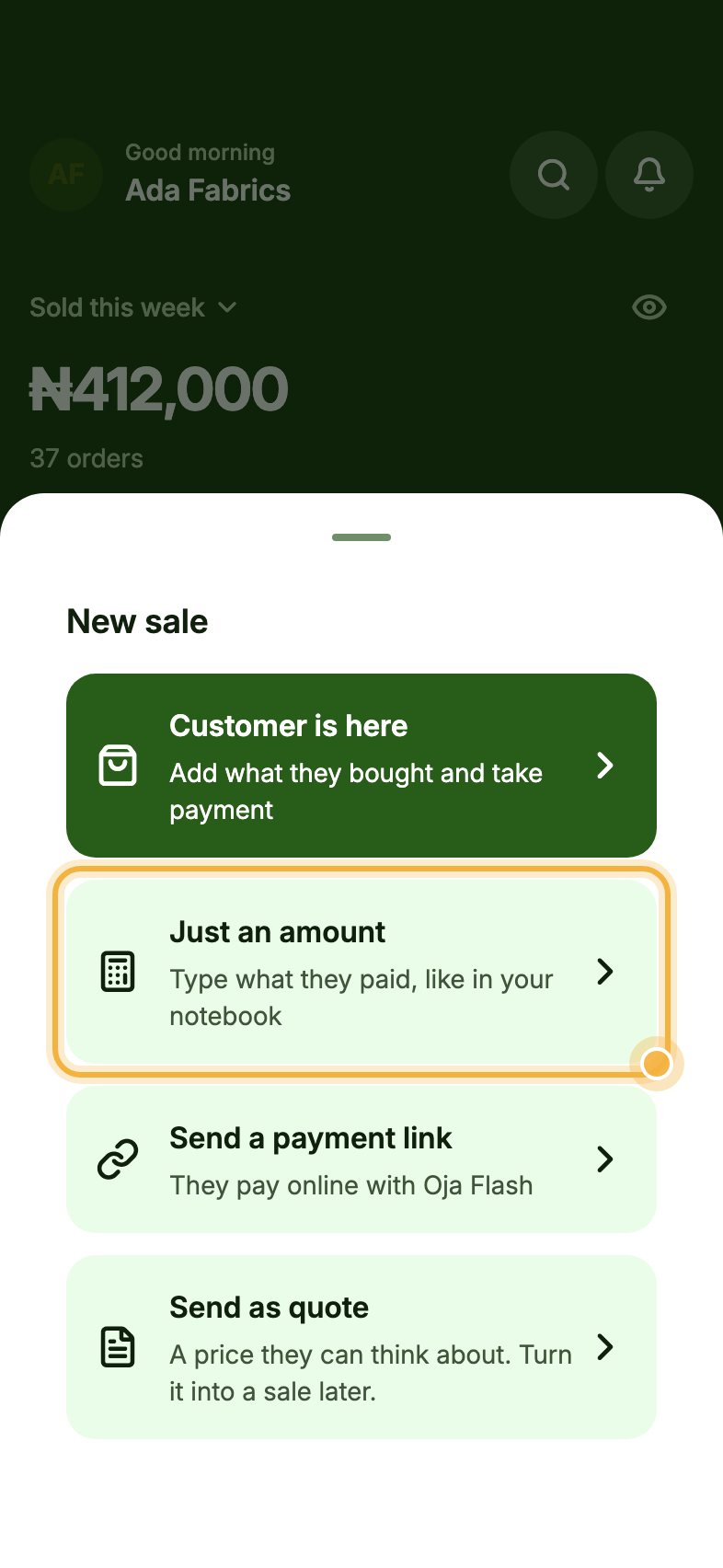
Tap New sale, then Just an amount
On Home, tap New sale. In the sheet that opens, tap Just an amount ("Type what they paid, like in your notebook").
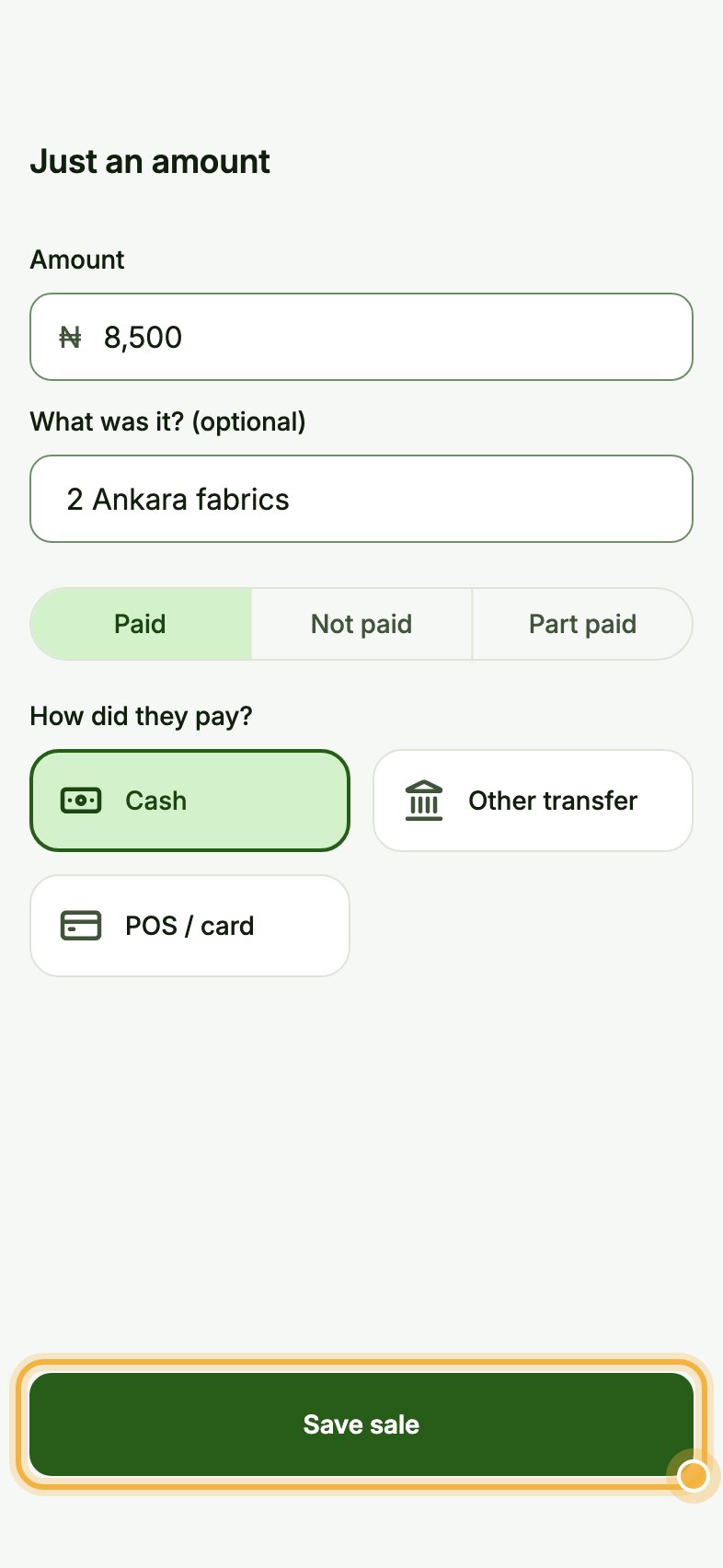
Type the amount and how they paid
Type the Amount, for example ₦8,500. Under What was it? (optional) add a short note like "2 Ankara fabrics".
Choose Paid, Not paid or Part paid, then tap how they paid: Cash, Other transfer or POS / card.
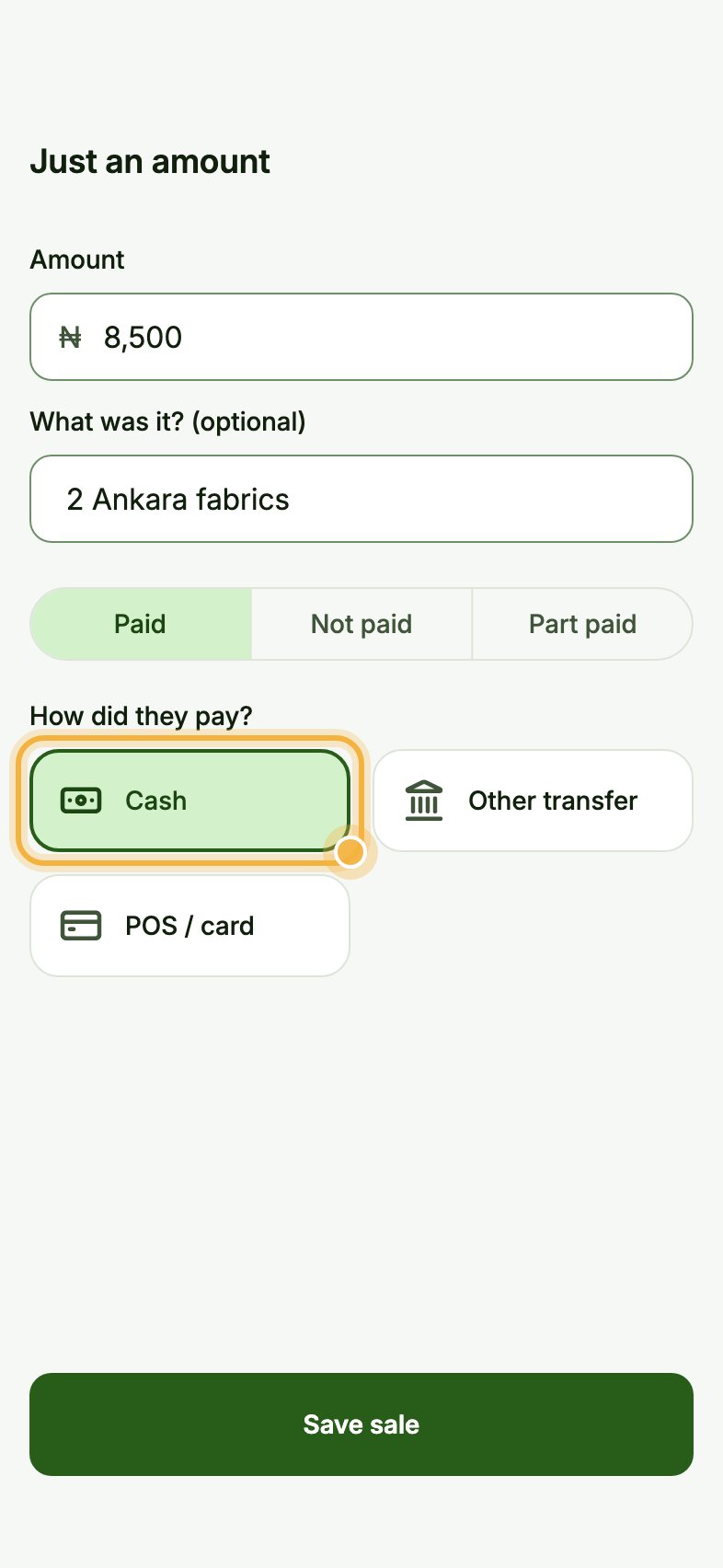
Tap Save sale
Tap Save sale at the bottom. The sale is added to today's total on Home and to your reports.
Tips that save time
- Choose Not paid when a customer will pay later. Oja adds it to what they owe you, so you can remind them.
- Use Part paid when they pay some now: Oja records what was paid and keeps the rest as a balance.
- Use a full sale (Customer is here) for items you track in stock, so your counts stay right.
Try it in the Oja app
Oja is free to start. Download the app, open your store in minutes and follow this guide on your own phone.
Start selling free