Link your Moniepoint or OPay card machine to Oja so the amount goes straight to the machine and every card payment lands on the right sale. Here is how.
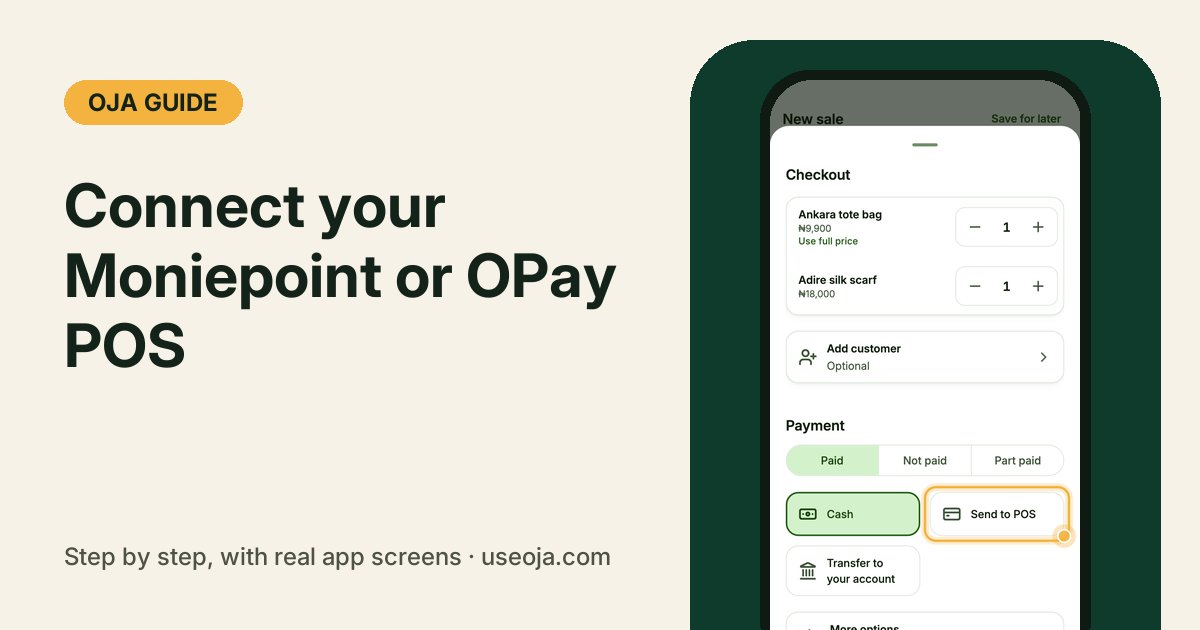
Typing the amount into your card machine, then typing the same sale into your records, is how mistakes happen. When your Moniepoint or OPay machine is connected to Oja, Oja sends the amount to the machine for you and marks the sale paid the moment the card goes through.
Before you start
- A Moniepoint or OPay card machine in your business name.
- Your API key and the machine's Terminal ID from Moniepoint or OPay. Ask their support if you cannot find them.
- The Chairman plan, and internet on your phone when you take the card.
Open Payments you accept
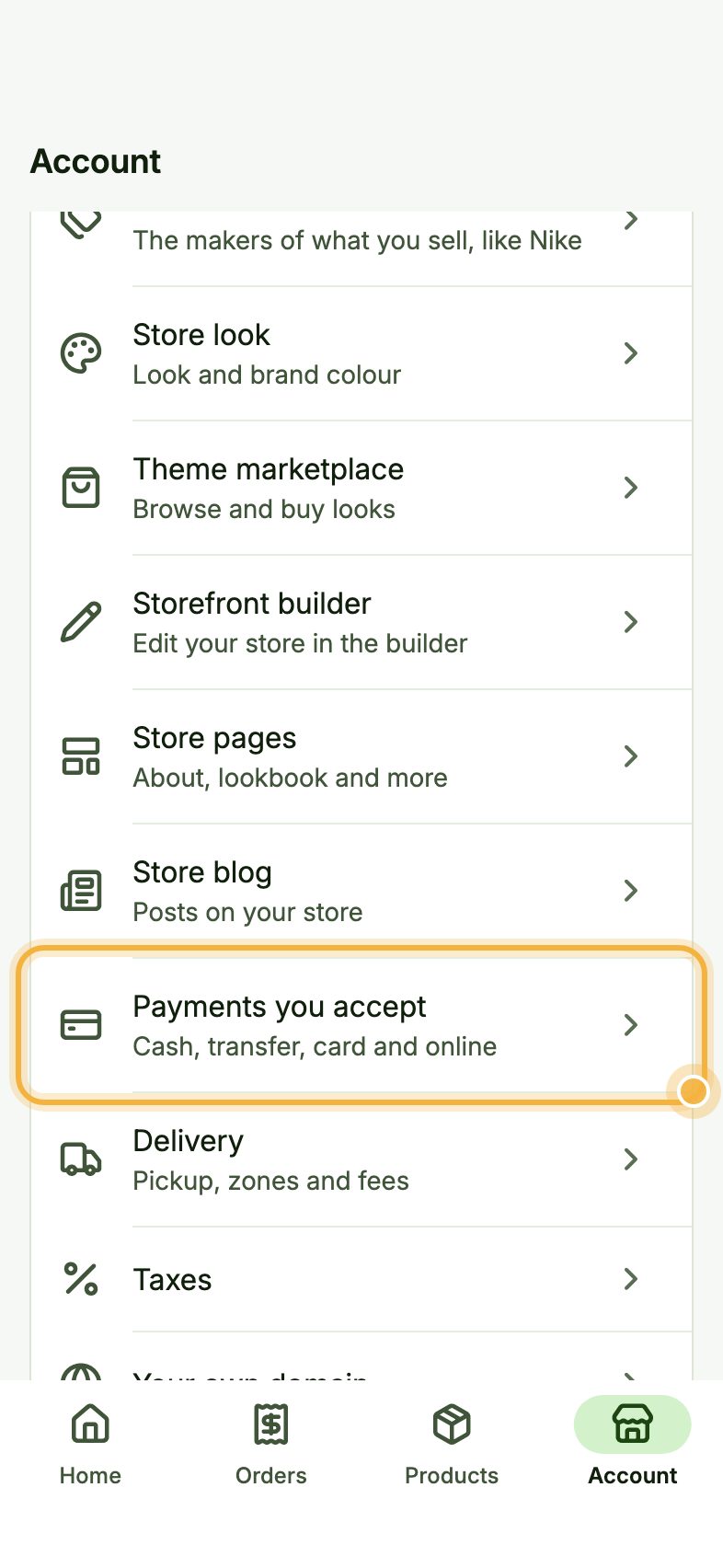
Go to the Account tab and tap Payments you accept ("Cash, transfer, card and online").
Add your machine's details
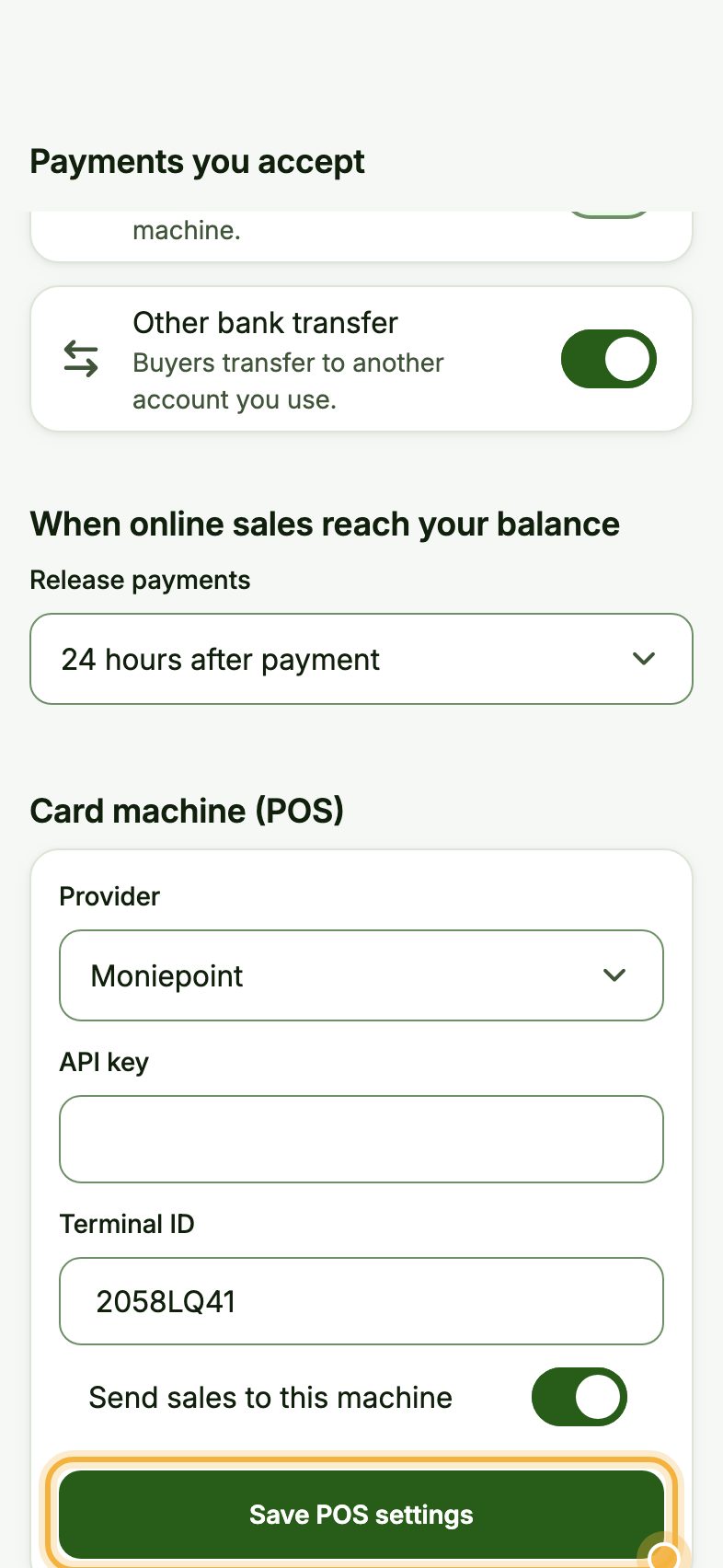
Scroll to Card machine (POS). Under Provider, choose Moniepoint or OPay. Paste your API key and type the Terminal ID, then switch on Send sales to this machine.
Tap Save POS settings.
Choose Send to POS at checkout
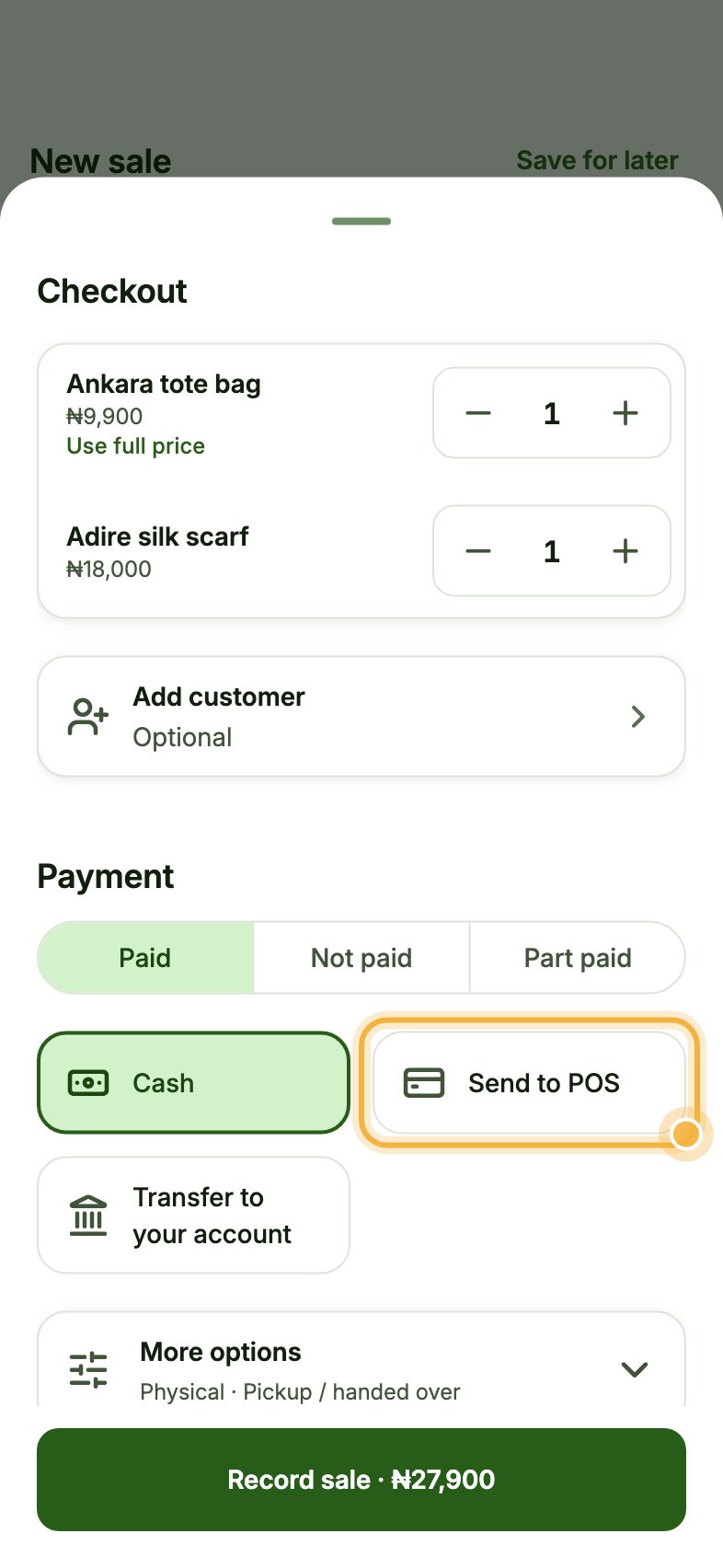
Record a sale as usual. At checkout, choose Paid, then Send to POS. Oja sends the total to your machine and shows Waiting for the card machine.
The customer taps or inserts their card. When it is approved, Oja shows Paid on the card machine and saves the sale.
Tips that save time
- No network? Send to POS needs internet. Take the card on the machine as usual and record the sale with POS / card.
- Switch off Send sales to this machine when it is being repaired, and switch it back on later. Your details stay saved.
- Close the day each evening. Card sales show apart from cash and transfers, so balancing is quick.
Try it in the Oja app
Oja is free to start. Download the app, open your store and connect your card machine when you move to Chairman.
Start selling free